

Skip to content
Yumi

All features

Count calories from a photo

No typing. No math. One photo.

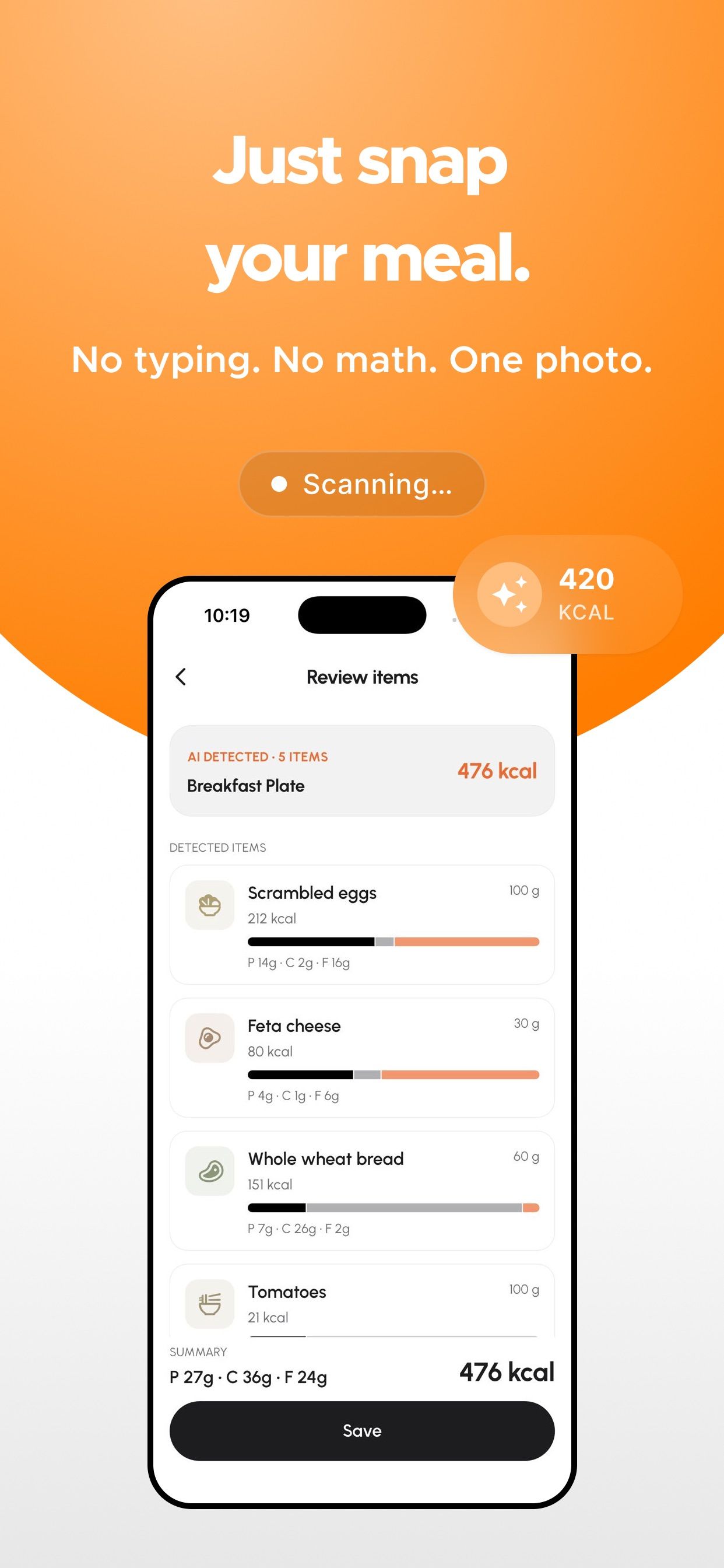
Point your camera at your plate. Yumi recognizes each item and estimates calories, protein, carbs and fat in seconds. Adjust portions with a tap.

Download on the App StoreGet it on Google Play

3-day free trial · iPhone, iPad & Android

Yumi scanning a breakfast plate and listing each item with calories and macros

How it works

  1. 1

    Snap your plate

    Point your camera at your meal. Yumi scans the photo and lists each item it detects with an estimate of calories, protein, carbs and fat.

  2. 2

    Check the extras

    Photos cannot show everything. Add the cooking oil, butter or dressing with one tap, or tell Yumi what was missing in your own words.

  3. 3

    Adjust and save

    Change any portion in grams, remove what you did not eat, then save. Your day, your macros and your targets update straight away.

Why a photo beats a search bar

Logging food is where most people give up. Searching for "scrambled eggs", picking one of forty entries, guessing the grams and doing it again for every item on the plate takes minutes. With Yumi it takes one photo: a breakfast plate of eggs, feta, bread, tomato and cucumber becomes five items with portions and a total, ready to confirm.

Even the oils, sauces and extras

Hidden calories are where photo logging usually goes wrong, so Yumi asks. On the confirm screen you can add common extras like cooking oil, butter or dressing, or type a note such as "there was ketchup in the meal". Yumi updates the items and the total before you save.

Prefer typing? That works too

You can always search and add foods manually, or log by voice or text through the AI nutrition assistant. Use whichever is quickest for the meal in front of you.

How accurate is it?

Yumi gives estimates. Lighting, hidden ingredients and portion size all affect what any photo can show. That is why every item is editable before you save, and why the extras step exists. For most people the goal is a consistent, honest picture of the day, not a lab measurement, and a quick photo you actually take beats a perfect log you skip.

Frequently asked questions

Can Yumi count calories from a photo?

Yes. Take a photo of your meal and Yumi recognizes the items on your plate and estimates calories, protein, carbs and fat for each one. You can adjust portions before saving.

What if Yumi misses something?

Remove or add items, change grams, add extras such as oil or sauce with a tap, or describe what was missing in a short note. Yumi updates the totals before you save.

Is photo logging included in the free download?

AI photo logging is part of Yumi Pro and Yumi Max. Every plan starts with a 3-day free trial, so you can try it before you pay.

Your next meal is one photo away

Free download on iPhone, iPad and Android. Every plan starts with a 3-day free trial.

Download on the App StoreGet it on Google Play